Welcome

Showing posts with label Youtube Tricks. Show all posts

How to Make Youtube Dance

Posted By: Unknown - Monday, May 05, 2014
Hey friends, till now we have discussed a lot of tricks regarding Google, like some easter eggs, rainbow and lots of other pranks here and there. Today is the YouTube`s turn. Today we will show you how to make YouTube do the dance.



Here is the magic:-
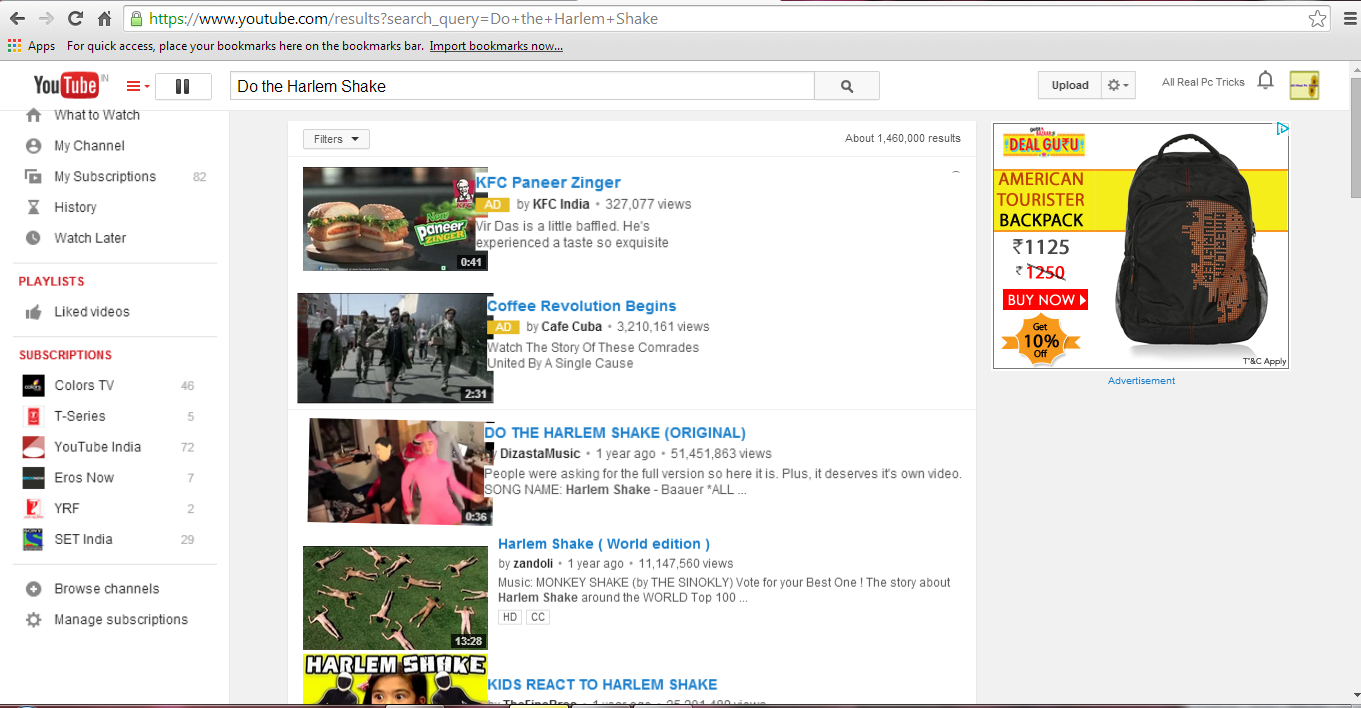


  • Open up YouTube.
  • Now, type the following in search :-


Do the Harlem Shake


  • Wait till the script loads, and after some time, it starts dancing, like this:-


Have fun with this trick and don`t forget to share with friends.
HAVE A TRICKY DAY!!!


Hey !!!!! Any Problem for using this trick , then Watch our video.


How To Auto Pause YouTube Videos In Your Browser

Posted By: Unknown - Monday, May 05, 2014


Hello guys, today it is time of smartness, everything is smart today from your phone to your TV. I think you are also so smart that is why you grabbing tricky knowledge from ALL REAL PC TRICKS. So today I am going to post how to make your YouTube watching smarter. Now you are thinking which type of smartness can be applied on YouTube OK let me tell you


Suppose you are watching a video on YouTube in one of your browser tab and suddenly you have to go to another tab of your browser because of any reason then is the video automatically stop? No, of course no it keep playing and you miss that part of video. But today I am going to share a post which will enable this feature in your browser and will make it smart like you. Here are some steps giving below just read and follow them carefully.


STEP 1:-


First of all install YouTube Smart Play extension on your browser if you are using chrome then install  SmartVideo For YouTube™


STEP 2:-


Now just play any video in YouTube and move to any other tab of your browser to see smart feature of your browser.


Watch the video to Learn More....


Watch 18+ Videos On Youtube Without Signing In

Posted By: Unknown - Tuesday, April 01, 2014
Sometime its annoying when youtube ask you to sign in for your age verification to watch 18+ videos. So i will make it easy for you by showing you a simple youtube trick to watch adult or 18+ youtube videos without signing In. This trick is 100% working as of 2013. So lets get started.


Watch 18+ Videos On Youtube Without Signing In


How To Watch 18+ Youtube Videos Without Logging In ?


1. First get the Url of video you want to watch. As shown below.


https://www.youtube.com/watch?v=MgDHxaC_VwU


2. Then copy the Video Id. For above link video Id is MgDHxaC_VwU


3. Now paste the Video Id in the link given below.


http://www.youtube.com/v/VideoId?fs=1


  • Replace VideoId with the Id you copied in Step 2


4. Now the url will become as shown below.


http://www.youtube.com/v/MgDHxaC_VwU?fs=1


5. Done.


Hey !!!!! Any Problem for using this trick , then Watch our video.



Download Youtube Videos Without Any Software

Posted By: Unknown - Tuesday, April 01, 2014


This is simple youtube trick which will allow you to download any youtube videos without any software or programme and in many different video formats such as mpeg4, 3gp, hd and many more from within the youtube site.


download youtube videos


How To Download Youtube Videos ?


1. First Go to Youtube Homepage.


2. Then select the video you want to download. I will demonstrate with video url given below.


http://www.youtube.com/watch?v=_JAa3NvP6f4

  • Now add save or ss or kick before youtube and press enter.


3. After adding any of the above  keyword the above link will   
     become.


http://www.saveyoutube.com/watch?v=_JAa3NvP6f4


Or


http://www.ssyoutube.com/watch?v=_JAa3NvP6f4


Or


http://www.kickyoutube.com/watch?v=_JAa3NvP6f4


 4. Now you will be redirected to a new page from where you can download youtube videos in any format of your choice. You may also download only the soundtrack of the video in mp3 format. 


Hey !!!!! Any Problem for using this trick , then Watch our video.


Coolest Youtube Tricks You Must Know

Posted By: Unknown - Friday, March 07, 2014


No wonder all of us are very familiar with this name YouTube . It is the biggest video streaming channel all over the world. Whenever you want to watch any new music release video , your favorite show that you missed on tv , live sports , funny videos , coolest tricks , tech videos and much much more are available anytime there on youtube.


All these gives us reason to depend on YouTube for many purposes but apart from its usability there are many tricks which may give you a better and more efficient way to use YouTube. So here I am going to share some exciting and very useful YouTube Tricks with you.


1.Set Auto Replay For Video:


Just like a Windows Media Player where you can loop and replay your favorite audio/video song infinite times , you can do the same with Youtube. All you need to do is replace Youtube with infinitelooper in the URL bar and hit enter.


Original URL : http://www.youtube.com/watch?v=U8STgCviLe0
Modified URL : http://www.infinitelooper.com/watch?v=U8STgCviLe0


It will redirect you to a new website where you can replay your video as many times as you want. It also allows a special feature , you can set a selected area for looping which means only some special part of video can be set for looping. This is simply great isn’t it ?


 2.Search Accurate Keyword:


Youtube is biggest video channel on internet and it gives birth to complexity that whenever you search for any video title , as a result you get thousands of results for same keyword. This makes it really challenging to find that video which you really want to watch. But there is a simple trick by using which you will be provided with videos having exactly same keywords as you have entered in search bar and no inappropriate stuff.


Youtube Tricks 


Simply add allintitle: in the beginning of the keyword you want to search and it will show results having exactly same keywords as you searched.


 3.Always Play Videos In HD:


If you have a high speed internet connection and you love watching videos in HD then this trick is for you. Most of the time videos on youtube channels have default settings and when you play them , they start with low quality in order to stream at faster rate but if you want all videos to be played in HD by default when you click them you can simply install an Add-on in your browser named Magic Actions For Youtube . This Add-on is available for Mozilla Firefox as well as google chrome . Once you installed this Add-on in your browser enable the Auto HD option.With this it ends my list of 5 Cool Youtube Tricks , you you know more and want to share  with us, Don’t Hasitate to add it in Comments. To download add-on click on the link given below:-


For Google Chrome


 Hey !!!!! Any Problem for using this trick , then Watch the video.


Copyright © 2014 ALL REAL PC TRICKS™

Designed by ALL REAL PC TRICKS